← Essays · November 14, 2026 · 13 min read
Best Family History Apps for Preserving Stories in 2026
Compare the best family history apps for 2026: tree builders, DNA services and story apps, with US prices, privacy notes and which fits your family.
Best Family History Apps for Preserving Stories in 2026
The best family history app depends on what you want to keep. If you want the stories behind the photos, in your family's own voices and in a book you can hold, The Chronicles is the one we built for that. If you want to trace ancestors through census and immigration records, a research service like FamilySearch, Ancestry or MyHeritage does that job. Most families end up wanting both: a tree that says who they came from, and chapters that say who they were.
This guide compares the apps people actually use, with US prices, what each one is good at, and what to check about privacy before you upload a grandparent's photos.
TL;DR
- For stories, photos and voices: The Chronicles turns photos and short memories into narrated chapters, and you can order them as a printed book. Plans run from free to $15 per month.
- For records and the tree itself: FamilySearch is free. Ancestry and MyHeritage charge subscriptions, and DNA kits cost extra.
- For relatives who avoid apps: guided email interviews let a grandparent answer questions without creating a login.
- Before you upload anything: check who owns the content, whether you can export it, and whether it is used to train AI.
Table of Contents
- Two kinds of family history apps
- How we compared them
- The apps side by side
- The Chronicles: for the stories behind the photos
- FamilySearch: the free tree
- Ancestry: records and DNA
- MyHeritage: records, DNA and animated photos
- Google Keep: a place to jot things down
- Which app for which family
- What to check before you upload family photos
- Can you make a family tree for free?
- Our perspective
- Start your first chapter
- FAQ
- Sources
Two kinds of family history apps
Search for family history apps and you will find two very different products under one label.
The first kind is genealogy software. It builds a family tree, searches historical records (censuses, immigration lists, military files) and, in some cases, matches your DNA to relatives. Names, dates and places are its raw material.
The second kind is story software. It keeps what no record holds: the way your grandfather told the story of the flood, the recipe your mother never wrote down, the reason a photograph was taken on that particular porch. Its raw material is memory.
A tree tells you that Eleanor was born in 1931. A chapter tells you she kept a jar of buttons on the kitchen windowsill and let every grandchild pick one. Both matter. Only the second disappears when a person does, which is why the order you do them in matters too. Records will still be there in ten years. Voices may not be.
How we compared them
We looked at what a family needs when it sits down with a stack of photos and a parent who is getting older:
- What it keeps: records and names, or photos, stories and voices.
- How easy it is for every generation: can an 85-year-old contribute without a password?
- What it costs in US dollars, and what is free.
- Who owns the content and whether you can take it with you.
- What you end up with: a screen, or something you can hand to a grandchild.
The apps side by side
| App | Best for | What it keeps | US cost |
|---|---|---|---|
| The Chronicles | Stories, photos, narration, printed books | Narrated chapters from photos and memories, with real voices | Free plan; Chronicle $7 per month; Family $15 per month; books from $49 |
| FamilySearch | Free tree and records | A shared global tree, photos, documents | Free |
| Ancestry | Records and DNA | Records, trees, short "Stories" presentations | Subscriptions from $24.99 per month; DNA kit $99 |
| MyHeritage | Records, DNA, photo animation | Trees, records, DeepStory videos | Premium $129 per year; DNA kit listed at $89 |
| Google Keep | Quick notes and voice memos | Notes, images, voice notes | Free with a Google account |
The Chronicles: for the stories behind the photos
The Chronicles is a collaborative family storytelling platform. You add a photo and a few sentences, and it turns them into a written chapter. Chapters collect into a personal history that your family can read, hear and print.
Three things set it apart for the readers this article is written for.
It works for relatives who will never use an app. Guided email interviews send a parent or grandparent a question at a time. They reply by email, with no login. If you have a mother in a memory unit, a father in a nursing home, or an aunt who still prints her emails, this is how their stories reach the family without anyone fighting a password screen. Our guide to recording a grandparent's life story walks through the approaches in more detail.
It lets you hear the stories. Chapters can be narrated in real voices, and consented voice cloning is available. Hearing a grandmother read her own chapter is a different thing from reading about her. See how it works on the voice memory book page.
It ends in a book. Plans give you unlimited chapters, AI assistance, narration and print ordering. Printed books are paid for separately: Paperback from $49 and Hardback from $99, one-off. That is the keepsake for a christening, a funeral or a ninetieth birthday. Details are on the book page.
Pricing as published: Free at $0, Chronicle at $7 per month, Family at $15 per month, and free trials are available. The pricing page also covers gifts.
On privacy, our pledge is simple: stories are never used to train AI, you own your story, and you can export it. There are no ads and no lock-in.
It suits young parents building a baby book, grandparents documenting their lives, families putting together a memorial book, and children who want to keep a parent's stories while there is still time. Related guides: the memorial memory book, the family history book and the photo to story app.
FamilySearch: the free tree
FamilySearch is run by The Church of Jesus Christ of Latter-day Saints. It offers one of the largest genealogical record collections at no cost, plus a single shared family tree that everyone builds together.
The shared tree is why it is free and why it is powerful: a cousin you have never met may already have added your great-grandmother. It is also why it needs tending. Because anyone can edit, duplicate or conflicting profiles turn up regularly, and keeping your branch tidy takes ongoing attention.
FamilySearch lets you attach photos, stories and documents to a person in the tree. That is a good place to record who someone was and when. A chapter-by-chapter story with narration and a printed book is a different thing, and that is where The Chronicles picks up.
Ancestry: records and DNA
Ancestry is a subscription service. US Discovery costs $24.99 per month, as of February 2026, and higher tiers add more record collections. AncestryDNA is $99 for the base kit and $119 with 75+ personal traits, as of May 2026.
Its story feature, Ancestry Stories, lets you combine photos and text into a short presentation of up to 12 slides, saved to a person's profile and shared by link. It is a neat way to give one ancestor a page. It is not built to grow into a whole family's narrated history.
If you take a DNA test, read the privacy controls first. Ancestry treats account deletion, DNA-results deletion and sample destruction as separate controls, and you can export your raw genotype data.
MyHeritage: records, DNA and animated photos
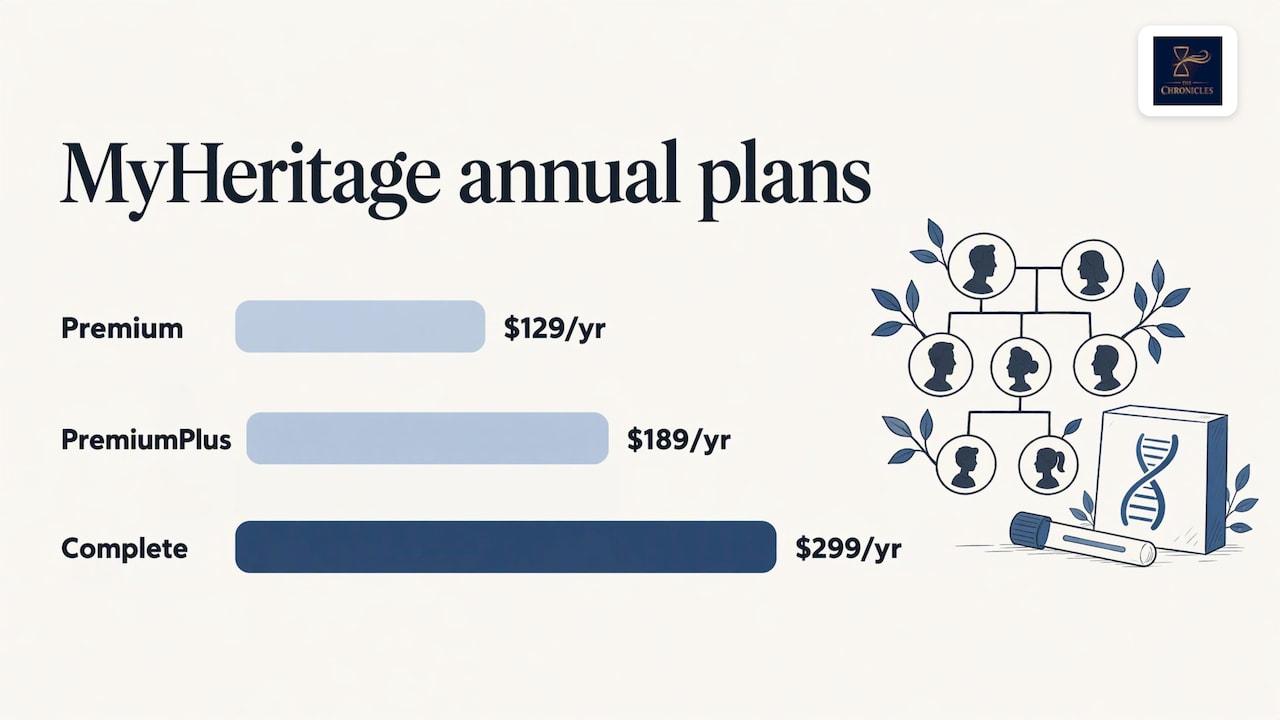
MyHeritage is another subscription service. Its Premium plan costs $129 per year, PremiumPlus $189 and Complete $299. The free Basic plan limits the tree to 250 people. The DNA kit has an $89 list price, with promotions often well below that. Prices change, so check the live page before you buy.
For stories, its DeepStory tool is the one to know. It assembles photos into a video narrated by an animated portrait of a deceased ancestor, and you can create several for free. It is a short clip. If you want a long-form record in a relative's real voice, our narration works from their own words.
On data, MyHeritage lets you download raw DNA files, delete DNA data and opt out of matching. It also had a 2018 breach affecting about 92 million accounts, in which email addresses and hashed passwords were exposed, while DNA, tree and payment data were held separately.
Google Keep: a place to jot things down
Many families begin with a shared note. Google Keep handles notes, checklists, images and voice notes and is free with a Google account. It is good for catching a story the moment someone tells it, at the kitchen table or on a phone call.
It will not shape those scraps into chapters. The photo, the date and the story stay as separate fragments. When you are ready to turn them into something a grandchild can read, drop them into a chapter on The Chronicles instead of leaving them in a list.
Which app for which family
You are a new parent. You want a baby book that will not stay half-empty in a drawer. Add a photo and one sentence a week, and let the chapters build up. The Family plan lets grandparents and the other parent add their own memories.
You have a grandparent who tells wonderful stories. Start with guided email interviews, so they answer one question at a time, then add photos. Our guide on preserving family stories before they are gone shows what to ask first.
A parent is in a nursing home or memory unit. Time and energy are short. Sit with them and a photo, ask one question, write down what they say. Short and often beats long and never. Anything you capture now is something the family keeps.
You have recently lost someone. Gather the photos, the voicemails and the things people say at the funeral. A memorial memory book gives those pieces one home, and every relative can add to it.
You want to trace your roots back centuries. Use the records services for the names, then give those names stories. Writing them up is the point of a family history book.
What to check before you upload family photos
Whatever app you choose, ask four things.
- Who owns what you write? You should. Look for the plain statement.
- Can you export it? A story you cannot take with you is a story you rent.
- Is it used to train AI? Family stories are personal. Look for an explicit pledge. Ours is that they never are.
- Does it show ads or lock you in? A memory archive should not.
If DNA is involved, there is a second set of questions about matching visibility, deletion and what happens to the physical sample, since DNA reveals things about relatives who never signed up.
Can you make a family tree for free?
Yes. FamilySearch is free and offers a collaborative tree. MyHeritage's free Basic plan allows up to 250 people. Free tools build the tree. Once you have names and dates, the stories are the part that takes thought. The Chronicles has a free plan at $0 so you can write your first chapter before you decide on anything else.
Our perspective
We built The Chronicles because most families have the same problem. The photos are on four phones and a shoebox, and the stories are in people's heads. A tree of names will not fix that.
What we have seen again and again in the family history world is that the records come first and the stories wait. We would turn that around. Names can be looked up later. A voice cannot.
That is why we made it work for people who are not comfortable with technology. A guided email question, answered in a grandparent's own words, is worth more to a family than a perfect tree with nothing in it. And that is why we pledge that your stories are never used to train AI, that you own them, and that you can export them whenever you like.
Start with one photo. Write one chapter. The rest follows.
Kevin
Start your first chapter
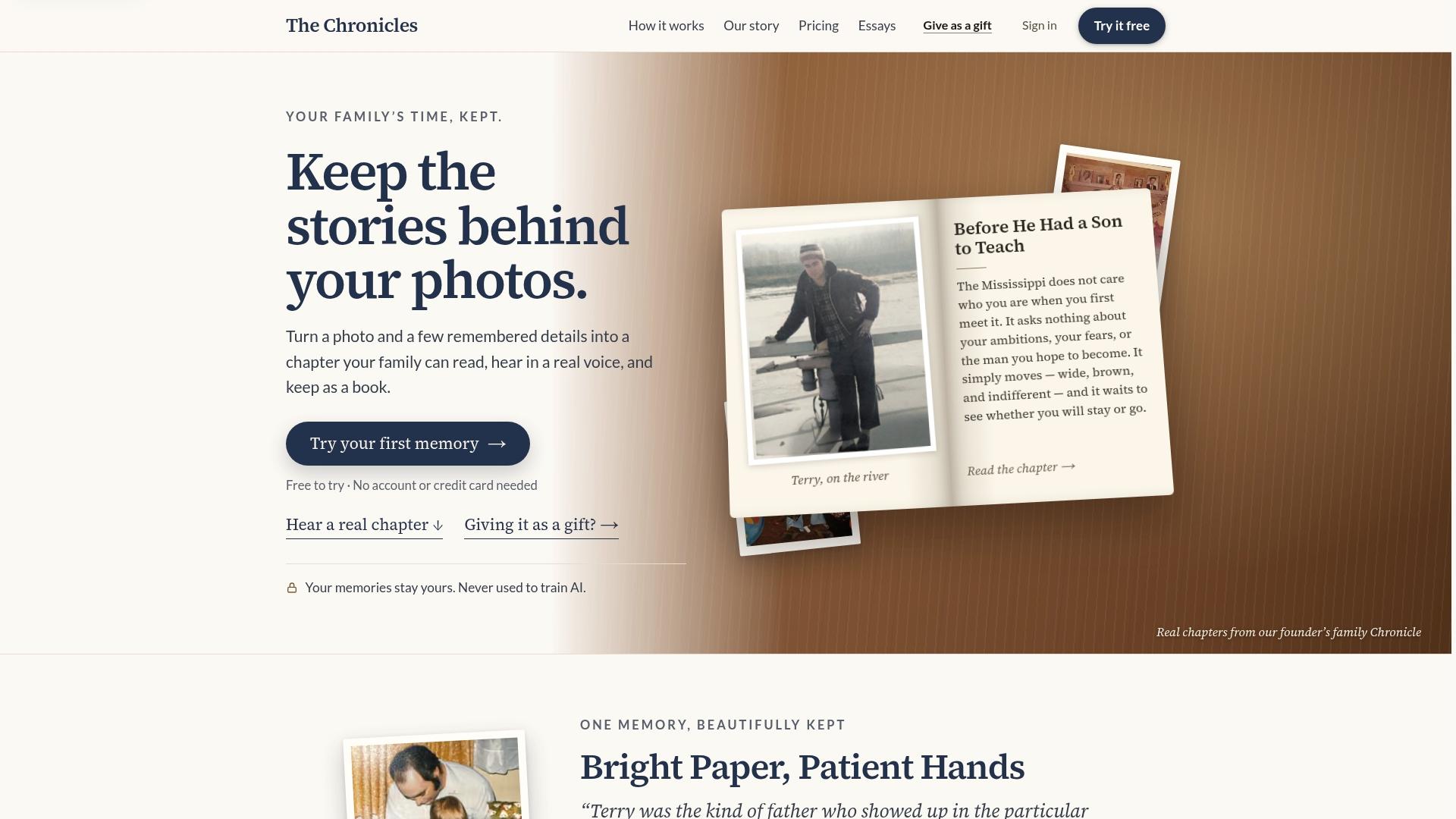
If you have a photo and five minutes, you have enough to begin. The Chronicles turns the photo and a few sentences into a written chapter, adds narration if you want it, and gathers chapters into a book your family can keep. Start on the Free plan, or move to Chronicle at $7 per month or Family at $15 per month when more relatives join.
Start your family's chronicle or see the printed book options.
FAQ
What is the best app to track family history?
It depends on what you are tracking. For names, dates and records, use a tree and records service. For the stories, photos and voices behind those names, The Chronicles turns them into narrated chapters and printed books. Many families use both.
Is FamilySearch still free?
Yes. FamilySearch is a free service with one of the largest genealogical record collections available at no cost. Its shared tree is edited by many people, so expect to review your branches now and then.
How can an older relative contribute if they dislike apps?
Use guided email interviews. They get one question at a time and answer by email, with no login. You can add their replies and your photos to chapters later, and give the finished chapters a narrated voice.
How much does a family history book cost?
On The Chronicles, a Paperback starts at $49 and a Hardback at $99, as one-off prices. These are separate from the monthly plans, which start free and run to $15 per month for Family.
Sources
- Best Genealogy Software in 2026: The Complete Comparison (Techisness)
- Ancestry.com Subscriptions Explained (Family Tree Magazine)
- Online Tools for Sharing Family Photos and Stories (Family Tree Magazine)
- AncestryDNA Review 2026 (Know Your DNA)
- MyHeritage DNA Kit Review 2026 (Know Your DNA)
- Self-Hosted Alternatives to MyHeritage (selfhosting.sh)
- Google Keep Review 2026 (TAV Reviews)
Recommended
From the founder
Start your first chapter — three minutes, no account.
Drop in a photograph of someone you love. Write three sentences about a moment with them. The Chronicles writes the chapter.
Try it free →Questions or thoughts? kevin@thechronicles.life — I read everything.