← Essays · October 31, 2026 · 13 min read
Photo Story Book: Turn Your Photos Into a Family Story
A photo story book pairs your pictures with the stories behind them. Learn how to make one, involve relatives, partner with AI, and keep it safe for decades.
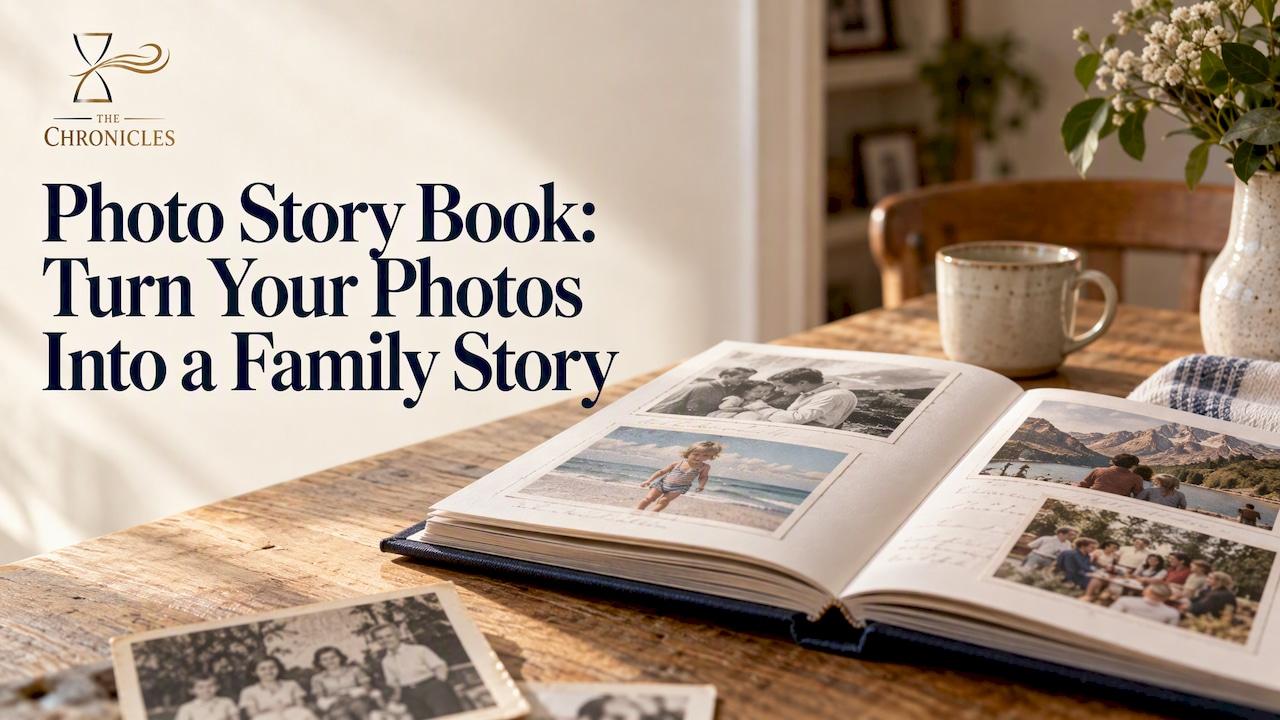
Photo Story Book: Turn Your Photos Into a Family Story
A photo story book is a book where your pictures come with the stories behind them: who was there, what happened, why it mattered. A regular photo book shows the moment. A story book also keeps the reason you took the picture. You can make one by choosing a theme, picking your best photos, writing a few lines for each, and printing the result. Today, AI tools can help you with the writing.
This guide walks through each step. It covers what to include, how to bring grandparents and kids into the project, what to check when AI is involved, and how to keep the finished book safe.
TL;DR
- A photo story book pairs images with short written memories, so the people and the reasons behind each photo are never lost.
- Start small: one theme, 20 to 40 photos, and a few sentences per picture beats an album of everything.
- Invite relatives to add their own memories. Guided questions make this easy, even for people who avoid technology.
- If you use AI to turn photos into chapters, check the privacy terms, confirm who owns the stories, and read every line for accuracy.
- Print a copy and keep digital backups in more than one place.
Table of Contents
- What a photo story book is (and what it is not)
- Stories a photo story book can hold
- How to make a photo story book, step by step
- Getting relatives and kids to contribute
- How an AI photo story generator works
- What to check before you use AI for family memories
- Print or digital? Choose both
- Our perspective
- Start your family's photo story book
- FAQ
- Sources
What a photo story book is (and what it is not)
Most of us have a phone full of photos and no idea who will understand them in thirty years. A photo story book fixes that by adding the narrative.
The Royal Photographic Society makes a useful distinction in its writing on the form. A photobook is set apart from a plain book of photographs by a purpose or concept and a narrative story, with images chosen and sequenced to carry that idea. Family books follow the same logic on a smaller, warmer scale. Your concept might be "the year we had the baby" or "Grandpa's life on the river."
Here is how the common formats differ:
| Format | What it holds | Best for |
|---|---|---|
| Traditional album | Printed photos arranged on pages | Quick, simple collections |
| Photo book | Photos in designed layouts and themes | Trips, weddings, yearbooks |
| Photo story book | Photos plus written stories, captions and context | Family history, milestones, memorials |
Fujifilm describes a traditional album as a physical book where printed photographs are arranged on pages, while photo books allow creative layouts and themes. A story book goes one step further. The words are not decoration. They are half the point.
Stories a photo story book can hold
The format suits almost any chapter of family life. A few that families come back to again and again:
A baby's first years
Young parents often start with a baby book and give up by month four. A story book is more forgiving. Add a photo when you have a spare minute and a sentence or two about what made you laugh that day. Over time the chapters add up: the first smile, the first snow, the night the hiccups would not stop.
Grandparents and family history
A photo of a grandmother at nineteen is lovely. A photo of her at nineteen with her own words about where she was going that evening is a treasure. If you are working on this kind of book, our guide to turning old family photos into a book shows how to sort and sequence a box of prints. For a broader project, a family history book can gather several generations in one place. You may also like our page on grandparent stories.
A memorial for someone you love
After a loss, families often discover how much they never wrote down: the way he told a joke, the recipe she never measured. A memorial story book lets everyone contribute a memory. There is no deadline, and the book can grow as more stories surface.
Milestones and anniversaries
Weddings, anniversaries, graduations and retirements all deserve more than a caption. An anniversary book built from years of photos, with a line about each, makes a gift that no store shelf can match. See our take on the anniversary memory book.
How to make a photo story book, step by step
You do not need design skills. You need a theme, a handful of photos, and a few true sentences.
- Pick one theme. "Our family" is too big. "Summers at the lake house" is a book. You can always make a second one.
- Gather more photos than you need. Pull from your phone, cloud storage, old prints and relatives' albums. Scan prints at a good resolution so they stay sharp on the page.
- Choose the strongest 20 to 40. Keep the photos that carry a story, not only the ones that are technically perfect. A blurry picture of everyone laughing often beats a sharp group pose.
- Put them in order. Chronological order is the safest. A theme or a person can work too. The aim is a sequence that leads the reader somewhere, as the RPS describes.
- Write the story for each photo. Answer a few simple questions: Who is in this? Where and when was it? What was going on just outside the frame? What do you want the reader to remember?
- Add the voices of others. Ask relatives to add or correct details (more on this below).
- Review and proof. Check names, dates and spelling. Wrong dates are the most common mistake in family books.
- Print, share, and back up. Order a physical copy, and keep the digital files in more than one place.
Writing the short stories when you do not know where to begin
Do not try to write beautifully. Write the way you would tell the story across the kitchen table. Use specific details: the color of the car, the song on the radio, what was for dinner. If you are stuck, record yourself talking about the photo on your phone, then type up what you said.
If you want a tool built for this, our photo to story app turns one photo and a few details into one chapter, and you stay in charge of every word. For a longer personal project, see how to write your life story from photos.
Getting relatives and kids to contribute
The best family books are rarely written by one person. Your mother remembers the name of the street. Your uncle remembers what really happened at the wedding. The problem is getting those memories out of people who do not want another app or another password.
A few approaches that work:
- Ask one question at a time. "What do you remember about this house?" gets an answer. "Tell me your life story" gets silence.
- Use email. Nearly everyone has it. On The Chronicles, relatives receive guided questions by email and reply in their own words, with no login needed.
- Let kids be the interviewers. Children ask wonderful questions. Give them three to start with and let them record the answers.
- Let the contributors correct each other. A friendly disagreement over who really won the card game is a story in itself.
- Keep it open. A book that can keep growing feels less like a chore than a book with a deadline.
Our post on preserving family stories before they are gone has more ideas for starting those conversations.
How an AI photo story generator works
An AI memory book tool takes what you give it and drafts text around it. The process is usually simple:
- You upload a photo.
- You add a few details: names, place, season, a sentence about why it matters.
- The AI drafts a short chapter in readable prose.
- You edit, add what it missed, and approve.
- Some tools, ours included, can then read the chapter aloud in a narrated voice.
The key point is that the AI only knows what you tell it. It cannot see that the man on the left is your great-uncle, or that the picture was taken the week before he moved away. The quality of the chapter depends on the details you supply, and the final version should always be yours. Our AI memoir writer is designed around that idea: photos and short notes in, chapters you can edit out.
If you like the idea of hearing a story rather than only reading it, take a look at our voice memory book. Narration can be in a real family voice, and voice cloning is only used with consent.
What to check before you use AI for family memories
A family book contains names, faces, health details and private moments. Before you upload anything, check five things.
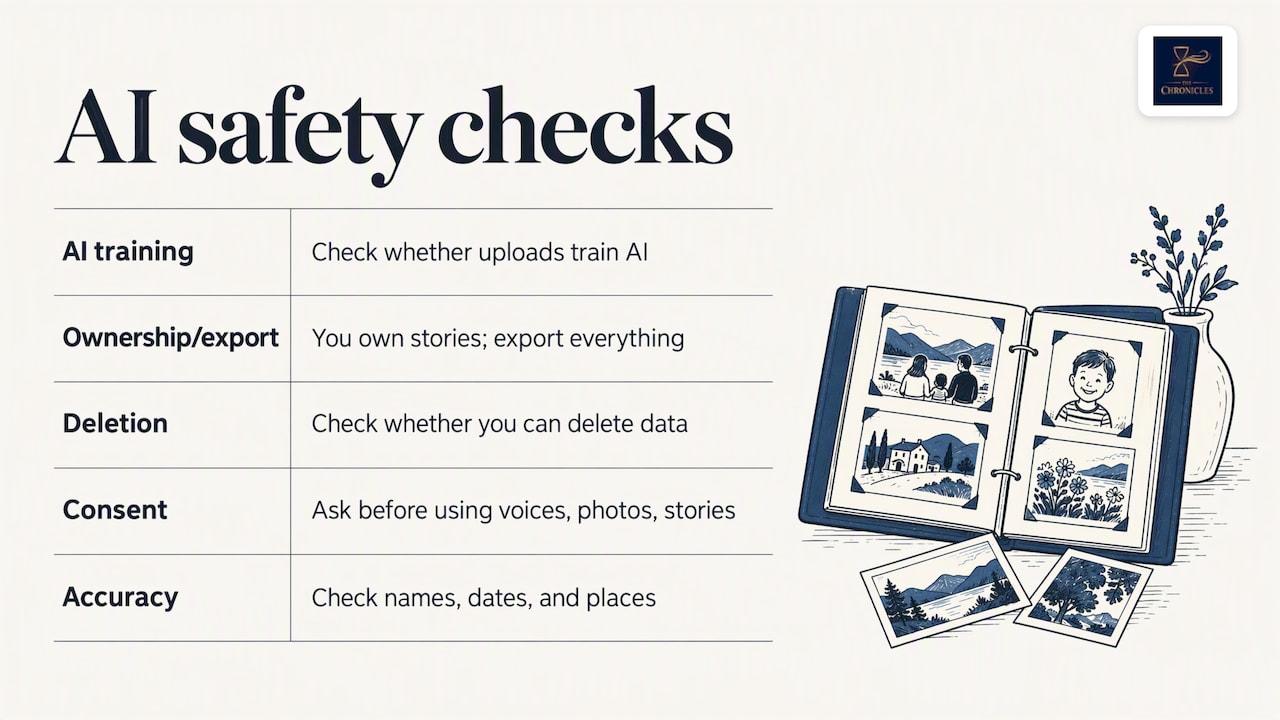
1. Does the company use your content to train AI? Many services reserve broad rights over what you upload. Read the terms. We pledge not to use family data to train AI, and you can read the details on our trust and data page.
2. Who owns the finished stories? The answer should be you. Look for plain wording on ownership and on whether you can export everything you have written.
3. Can you delete your data? Privacy lawyers note that the extensive data processing and limited transparency of large language model training can make information requests difficult under GDPR. That is a good reason to choose a service that is clear from the start about what happens to your uploads.
4. Have people agreed? If you are including a living relative's voice, a photo of a child, or a private story, ask first. Voice cloning in particular should only ever happen with the speaker's consent.
5. Is it accurate? AI can fill gaps with plausible but wrong details. Read every chapter and check names, dates and places against your own memory or the family's.
Print or digital? Choose both
A digital story book is easy to share and add to. A printed one is what gets pulled off the shelf at Thanksgiving. Most families will want both.
| Digital | Printed | |
|---|---|---|
| Easy to update | Yes | Only by ordering a new edition |
| Shared with far-away relatives | Instantly | By mail |
| Browsable without a device | No | Yes |
| Makes a gift | A link | A keepsake |
On The Chronicles, a printed Paperback starts at $49 and a Hardback at $99, each a one-off purchase. Hardback is a natural pick for gifts and memorials.
Keeping it safe for the long term
A book is only a keepsake if it survives. KQED's guide to archiving family history recommends the 3-2-1 strategy for digital files: three copies, on at least two kinds of media, with one stored in a different location. For your story book, that could mean the original service, an external drive at home, and a copy with a relative in another city.
The same article shares an archivist's advice for printed books: pull a book from the shelf by the middle of the spine, not the top, to avoid damaging it. Small habits like that help a printed family book last across generations.
Our perspective
We built The Chronicles because the stories attached to photos fade faster than the photos do. Ask anyone who has inherited a shoebox of pictures: the faces are there, and the names are gone.
We believe a family book should be a shared project, not one person's burden. That is why relatives can answer guided questions by email without making an account, and why a chapter can start with just one photo and a few details.
We also believe your family's memories belong to your family. We pledge not to use your data to train AI, and you keep ownership of your stories with easy export. There is no lock-in and there are no ads. A memory book is among the most private things you will ever make, and it should be treated that way.
AI is a helpful drafting partner, but the voice in the book should be yours. Edit freely, add the detail only you know, and let the people you love speak for themselves.
Kevin
Start your family's photo story book
The Chronicles turns photos and short memories into written chapters, lets relatives contribute by email, adds real-voice narration, and prints the whole thing as a book. You can begin on the Free plan at $0. The Chronicle plan is $7 per month and the Family plan is $15 per month.
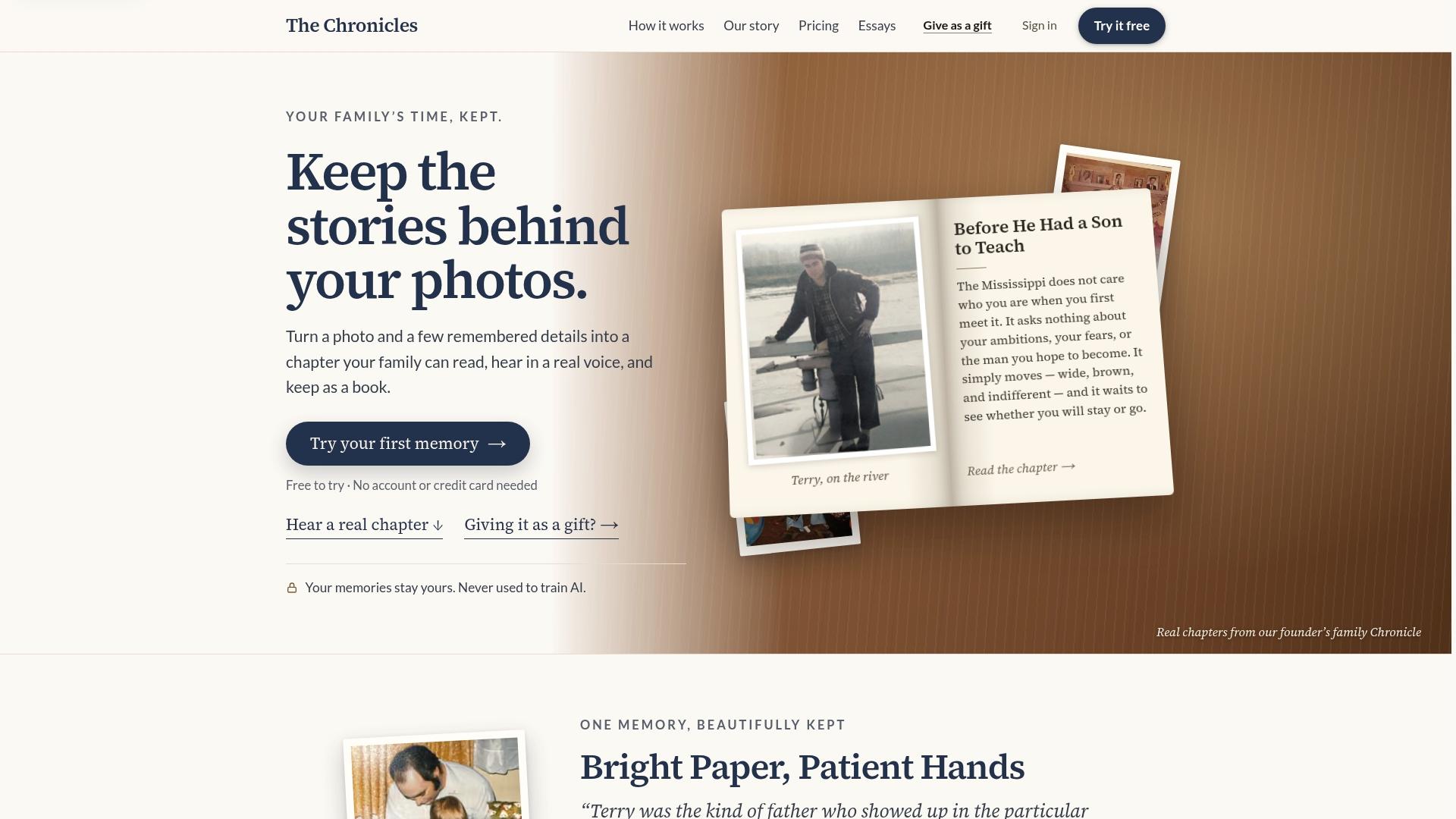
When you are ready, start your first chapter on The Chronicles and add your first photo. If you want to see what a finished book looks like, browse the printed book options.
FAQ
What is the difference between a photo book and a photo story book?
A photo book arranges pictures in a designed layout, often by event or trip. A photo story book adds the written narrative: who, when, why, and what it felt like. The photos stay at the center, but the words keep the meaning intact for people who were not there.
How many photos should a photo story book have?
There is no fixed rule, but 20 to 40 well-chosen photos is a comfortable starting point for a single theme. Fewer photos with a real story each is better than a hundred with no context. You can always begin a second book for another chapter of family life.
Can AI write a photo story for me?
Yes, AI tools can draft a short chapter from a photo and a few details you provide. The result is only as accurate as the information you give it, so read it carefully and edit names, dates and details before you share it. Treat the draft as a starting point for your own memories.
How do I get older relatives to share their stories?
Ask one specific question at a time, and use the method they already know. Email works well for many grandparents. On The Chronicles, relatives get guided questions by email and simply reply, with no account to set up. A phone call recorded with permission also works.
Should I print my photo story book or keep it digital?
Do both. A digital version is easy to update and share, and a printed copy lasts without a device. Store digital files in at least three copies, on two types of media, with one in another location.
Sources
- The Photobook, Royal Photographic Society (2020)
- Our Guide To Printing Photos for Traditional Albums, Fujifilm
- A brief look at privacy and generative AI, Schjødt
- How to Preserve Your Family History Like an Archivist, KQED
Recommended
- How to Turn Old Family Photos Into a Book
- Write Your Life Story From Photos
- Create a Family History Book, AI-Written
- AI Memoir Writer — Photos to Chapters
Made with BabyLoveGrowth to reach more people through search
From the founder
Start your first chapter — three minutes, no account.
Drop in a photograph of someone you love. Write three sentences about a moment with them. The Chronicles writes the chapter.
Try it free →Questions or thoughts? kevin@thechronicles.life — I read everything.